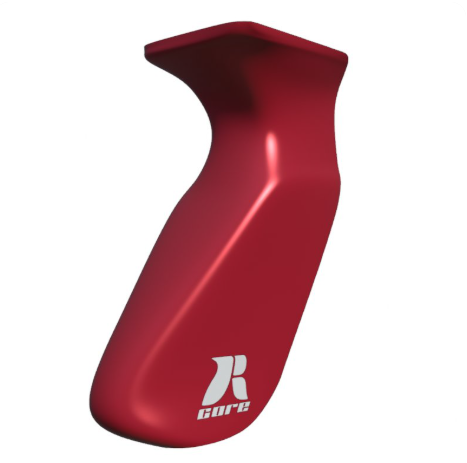
Design a custom bow grip, preview it in 3D, and order it – all from your browser.
Signing in
The designer uses your RCore shop account. Open the designer and you’ll be sent to the shop to log in (or straight through if you’re already logged in there).
The design screen
Parameters
Each grip option has a slider with:
Label and unit — angles in degrees (°), distances in millimeters (mm), creases on a 0–1 sharpness scale.
Animated thumbnail — hover (or tap) the small image next to a slider to see the parameter sweep through its full range. Click the i button for a larger explanation with front and left views side by side, plus what low and high values do.
Live value — shown next to the label as you drag.
Simple / Advanced toggle — Simple shows the most common options; Advanced shows everything.
Current parameters:
Parameter
What it does
Unit
Grip angle
Angles the palm surface. This is how low or high your grip will be
degrees
Grip slant
Tilts the palm surface. More slant, more angle towards the thumb
degrees
Thumb position (side / height)
Moves the thumb positioner on the grip (side) and adjusts size (height)
mm
Left / right lifeline crease
Sharpens or softens the lifeline edge
0–1 sharpness
Left / right edge angle
Angles the outer palm surface edges
degrees
Left / right edge offset
Shifts the palm edges in or out
mm
Palm bulge
Adds or removes fullness in the palm swell
mm
Slider ranges and increments come directly from the current grip model, so you can’t set a value that can’t be manufactured.
Ready-made designs
The ready-mades strip shows curated designs. Click one to load its preview and copy its parameter values into the sliders. This is a good starting point to tweak from.
Previewing your design
Press Generate Preview to render your exact configuration. Rendering happens on the server; the queue chip in the header shows how many jobs are running/queued and the estimated wait (typically a couple of minutes). When ready, drag the preview to spin the grip around and tilt it to see it from below.
Saving designs
Press Save Design to keep your current configuration under Your saved designs. Click a saved design to load it again later. There is a daily limit on how many designs you can generate.
Ordering a grip
Press Order grip. You’ll land on the shop’s custom grip product page.
The page shows your full configuration: every parameter value, a preview image, a short reference code, and the model version of the grip geometry your design is based on.
Add to cart and check out as usual. Your configuration travels with the cart and is stored on the order. The workshop builds your grip from exactly those values.
The reference code and model version on your order confirmation uniquely identify your design; quote them in any support request.
Tips
Hover a parameter’s thumbnail before touching the slider. The animation shows exactly which part of the grip it affects and in which direction.
Start from the ready-made closest to what you want and adjust from there.
The value next to each label updates live; the numbers under the slider show the allowed minimum and maximum.
Powered by
0.0
Based on 0 reviews
5
0%
4
0%
3
0%
2
0%
1
0%
0 of 0 reviews
Sorry, no reviews match your current selections
We use cookies to ensure that we give you the best experience on our website. If you continue to use this site we will assume that you are happy with it.